Website Chat from Envolve

Archive | Twitter

Tags: ,

Top 20 Sites to Improve Your Twitter Experience

Posted on 26 July 2010 by admin

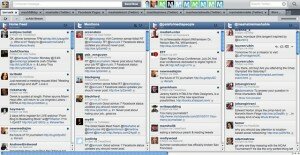
hootsuite

From Source: Mashable

“140-character status updates to a network of followers.” That makes Twitter sound simple. But in fact, the social information platform has grown to be much more complex than its 140 character-limit suggests. The site not only connects people, but has also become an intricate information resource for everything from news to shopping deals.

Yet in many ways, the site’s actual functionality hasn’t exactly kept up with user interactions. Twitter’s interface has remained simple, which is why a lot of tweets take place through third-party sites and applications that make the experience more useful.

We’ve compiled a list of the top 20 third-party websites for making your Twitter experience more useful and easier to manage. Although this does not include the many desktop or mobile applications that are available for Twitter, we hope that it will make your browsing experience more enjoyable as you dive into the Twittersphere. Also, as a one-stop shop for Twitter apps, check out OneForty. We’d love to hear what’s missing from this list, including sites that you find useful in the comments.

Listropolis’ Take:

It’s another Mashable list, so of course it’s great. If you’re not already using web apps for Twitter, there’s a good chance this post will change your mind.

See the List

View Comments

Tags: , , ,

35 Essential Social Media Resources You May Have Missed [Mashable]

Posted on 28 June 2010 by admin

From Source: Mashable

Chances are you’ve been waiting in line all week for the iPhone 4, which means you haven’t been keeping up on your social media resources. Tsk-tsk.

Put said device to good use, and scroll on down for your weekly cavalcade of hints, tips, insights and analysis.

This week’s list includes some great Google facts, web design inspiration, and a few ways to improve your social business model.

Go on, gorge yourself.

See the List

View Comments

Tags: ,

140 Reasons We Love Twitter

Posted on 22 March 2010 by admin

From Source: Mashable

Today is Twitter’s fourth birthday, and to celebrate the occasion we asked our Twitter followers: “Let us know how Twitter changed your life – add hashtag #thankstwitter4 so we can find your tweet.”

We got thousands of responses — in fact, #thankstwitter4 has become a trending topic. As promised, we did our best to sift through the tweets and find 140 that represent the Twitterzeitgeist as we enter the social network’s fourth year. Below are our selections, split up into categories or sentiments that we noticed were particularly common.

Listropolis’ Take:

Meh. While not Mashable’s strongest list, it is a good look at why people love the little blue bird that could.

See the List

View Comments

Tags: , ,

10 Small Business Social Media Marketing Tips

Posted on 29 October 2009 by admin

foursquare

From Source: Mashable

Capacity – especially to plan and execute effective marketing strategies – is a big challenge for every small business. In this post, I’ll offer 10 suggestions for how small businesses can supercharge their marketing efforts by leveraging social media. For each suggestion, I will discuss a basic strategy – for those who simply want to get their toes wet, as well as an advanced strategy – for those who want to spend a bit more time and go a bit deeper in their social media marketing efforts. These tips are based on my experience leveraging social media marketing for my company, crowdSPRING.

I suggest you begin by outlining clear goals for your social media marketing efforts and figuring out how you’ll measure success. Once you’ve outlined your goals, let’s look at 10 great ways you can begin to leverage social media for your marketing efforts.

Listropolis’ Take:

For many, this list is a 101 on using Social Media to grow a business. We’ve seen it all before, but like all things Mashable, the list is rock-solid. It’s one of those posts you bookmark and read every few months to make sure you’re staying on track.

See the List

View Comments

Tags: ,

10 Hilarious Twitter Parody Videos

Posted on 28 September 2009 by admin

conan-tweet

From Source: Mashable

Whether or not Twitter has hit a traffic growth ceiling, the 140 character status update platform has already proved it can permeate past its early adopter audience and attract a more mainstream user-base complete with Twittering athletes, celebrities, and government officials.

Along the way, Twitter (Twitter) has also managed to grab a lot of attention as the easy scapegoat in parody videos. We’ve seen comedic geniuses, late-night talk show hosts, and many video production companies all try to best each other in a battle for the funniest Twitter spoof or satire. Not all are created equal, but the 10 we’ve included here are some of the sure-fire standouts.

Twitter may be the butt of everyone’s joke, but after the news of a $1 billion valuation, we have a sneaking suspicion that Twitter will eventually have the last laugh.

Listropolis’ Take:

Any list with Twouble With Twitters in it is a great list. If you’re a Twitter fan, you’ll really appreciate the humor in these vids.

See the List

View Comments

Tags: , , ,

Entrepreneur Survival Guide – 10 Apps/Tools Every Entrepreneur Should be Using DAILY

Posted on 20 July 2009 by admin

As a small business owner, I rely heavily on the internet to help me with my daily routine. The amount of apps and tools available are staggering, but after a little trial and error, you can narrow everything down to a handful of apps that you use on a daily basis. This is a list of the tools I use everyday. They may not be the best tools for the job, but they work for me.

I’ll start by giving you a little insight into my day. I own 5 businesses, and run a few websites. This isn’t a pitch for my companies…merely a way to show you what I do, so you might be able to apply what I use to what YOU do.

My largest business is Lake Nona Pools. We clean and service pools in the Orlando area. I’m also the broker for a real estate company, co-owner of a photography company, and dabble in social media and web design. Add in roughly 10 other sites (including this one) that I run, and you’ll see why the right tools are essential for my sanity.

Following are the tools I use, in no specific order:

#1.

The Omni Group - OmniFocus

There is NO chance I’d survive without OmniFocus. I loosely use David Allen’s GTD rules, and OmniFocus has everything I need to keep me on track. I also have an iPhone, and the iPhone app is one of the best GTD apps in the app store. It’s nice being alerted to tasks when you’re close to the location they need to be done. This app is the glue that holds everything together for me.

#2.

Shaun's

I can’t tell you how many start pages I’ve had in the past…there are just too many. I tried Netvibes 3 times before coming back to it for good. It’s a very powerful tool if used correctly. I have different tabs setup for each of my companies, so I can open up my browser, click on the appropriate tab, and I have almost everything I need in front of me. Most of my tabs have a contact manager (I’ll get to that next) at the bottom, and the upper portion is filled with small notes I need, or my bookmarks tagged for that company. I can go to my Lake Nona Pools tab and see all of my clients, any actions I need to do for those clients, my delicious bookmarks tagged with LNP (forums, etc), a link to craigslist to post marketing, a craigslist template I use that I can just copy & paste, and my gmail all sitting nicely in one place. I can’t get everything done through Netvibes, but it’s pretty damn close.

#3.

Contact Manager, Web Based CRM, Address Book for Small Business_ Highrise

Man oh man do I love me some Highrise. 37signals has always been one of my favorite companies. I’m addicted to their design concepts, and their user experience in their apps is unmatched. Highrise is a contact management system. They offer a free account for under 250 clients, and so far, I haven’t hit that number. Could be because I have a different highrise account for each company, but I love these guys and have paid for some of their other services. If you keep track of your clients, this is a must. You can log phone calls, send emails (that automatically save a copy with your client), set up reminders, tag clients, and just about anything else you’d expect from a CMS. I use the vCard export feature constantly, and track all calls through Highrise. I have an affiliate link, but in the interest of keeping this post about the products, and not about me capitalizing off it, I have used the regular link above.

FreshBooks - Online Invoicing, Time Tracking and Expense Service

Another life saver. I have to send out recurring invoices for my pool clients, and my web design clients, and Freshbooks crushes the competition! For a startup, these guys have completely impressed me, especially with the frequent improvements made to the service. I talk to a lot of the other people in my industry, and most of them dread sending invoices. I tell them about Freshbooks, and they are blown away by the simplicity. My typical experience is as follows: I add a new client to Highrise (mentioned above), I export the vCard, and use the “Import vCard” feature in Freshbooks. It pulls all of the info over easily. I then setup a recurring profile for the new client, and have it set to send all invoices on the 20th of each month. I have chosen to allow my clients to pay online via PayPal (which they LOVE), and when a paypent is made through PayPal, it is automatically posted as paid in Freshbooks. If I receive a check, it’s a 3 click process to enter the payment. Clients can log in to their account and see their payment history and outstanding invoices (which they also love), and I can track expenses and estimates. There’s also an accountant login with more reports than my accountant has ever needed. There’s also a “Report Card” feature that tells you how you’re doing against other Freshbooks users in your field. Very solid app!

#5.

Gmail: Email from Google

Say what you want about the big G, but you can’t beat gMail. With 7gigs of storage space, you never have to delete emails, and with Google’s trusted search, it’s never a chore trying to find one you’ve archived. I’ve been using gMail since the beginning, so I have a pretty detailed setup, but using filters and folders, I have a way to track emails for each company all in one place.

Google Voice - One phone number, online voicemail, and enhanced call features

Google Voice is still in private beta, but it’s worth signing up to receive an invite. I was lucky enough to sign up when it was Grand Central, and now that it’s been updated to gVoice, I’m in love with it more than ever. Easily the best feature for me, from a business standpoint, is being able to have it ring my phone as the gVoice number (as opposed to the client’s number). When my phone rings through my gVoice line, I know to answer it, “Lake Nona Pools.” It’s a nice touch that gives our company a slight edge over our competition – for free! I have it setup for the real estate company also, and it works flawlessly. The voicemail transcripts need some work, but I can usually get the idea. There are a few iphone apps available that are also worth looking into.

Google Reader

I promise this is the last of the Google Services (although I use adsense and analytics…but usually not daily). Google Reader is a feed reader. I’m not going to get into what a feed reader is, or which is the best, but I want to explain how I use it. I have gReader setup with feed categories for each company. I’m able to see what’s going on in my fields as well as look for stories to write about on my blogs. I usually spend about 30 minutes catching up on my feeds every morning.

#8.
Tweetie for Mac (and iPhone)

Tweetie

This is probably more about using Twitter on a daily basis, but if you do use Twitter, I recommend Tweetie for iPhone or Mac (actually, both). I’m pretty sure I’ve tried every twitter app made, and I’m still hooked on Tweetie. As an entrepreneur, you want to make sure you’re using Twitter properly, or it won’t matter what app you’re using. My daily use is simple. I have 5 main twitter accounts. I have set one of them up to post from a custom RSS feed. That one is simple…there’s very little interaction, but my followers love the content, and the sites I pull the content from love the traffic. I also have one for my pool company. I use this one to answer pool questions people ask me. The thing is, and the part MOST people overlook on twitter, I use search more than anything else. I have searches running for keywords related to pools. If someone mentions they need a new pool filter, you better believe I’ll get the tweet, and I’ll be there to offer them a filter. Spammy? Nope – not in my opinion. If someone mentions they just had a baby, they should have companies tweeting back asking them if they need a larger home, if they need new insurance, baby products, etc. I thing Twitter will get to this, but it seems like it’s taking time for people to utilize it this way. Tweetie makes it dead simple to see when a new search result comes up – if you look at the shot above, you’ll see the little blue dots – they represent new mentions, DMs, and searches.

#9.

Welcome to Facebook! | Facebook

Yeah, I know…everybody’s on Facebook already. So why mention it here? Because it’s an amazing tool for entrepreneurs. With over 250 millions users, there are plenty of your future clients on there. So how do you use it outside of reconnecting with high school friends? Pages. I have set up Facebook Pages for each of my businesses, and I actively post content related to that company. I see far too many people setup a Facebook account and try to use it to represent their business – especially in real estate. Problem is, it comes off very poorly. If you are a real person on facebook, people will be interested in what you have to say, and when you set up a page and ask them to becaome a fan, there’s a good chance they will. Once they are fans of the page, they’ll expect a different type of content. I make it a point to post at least one thing loosely related to each company daily. As an example, I posted a video of a guy jumping into a frozen lake on my pool company page. There were multiple comments made, and I received one new client from it. Use the tools to your advantage, but do a little research first. People want entertainment…not constant sales pitches.

iphone3gs.jpg (JPEG Image, 494x365 pixels)

I know…I know – it’s not an app. I’m not a certified fanboy, but I do see how important my iPhone has become in my daily routine. Yes, there are other phones out there that do a few things better, but for an entrepreneur, the iPhone is a rock-solid staple in my daily grind. Most of the apps and tools I’ve mentioned above have apps for the iPhone. This is important because you don’t want to be trapped behind your desk all day. There is a whole set of apps I use daily on my iPhone not included in this list, but that’s for another post. Being able to keep track of my day with OmniFocus, follow my twitter searches, make calls FROM my gVoice number, check in on my facebook friends, find addresses to my new clients, read my gReader feeds, and listen to streaming music in between, makes my iPhone the perfect companion for surviving my crazy workday.

That rounds out my not-so-perfect-but-good-enough-for-me list of apps every entrepreneur should be using daily. I use other apps, but these are the most-often, and most-critical of the bunch. What apps do you use regularly? What apps can you NOT live without? Tell us in the comments.

View Comments

Tags: ,

6 Coolest Sites to Find New Tweeters

Posted on 06 April 2009 by admin

Let’s face it – Twitter is amazing. But with all its greatness, it’s never been an easy task to find others on the service. Below are the 6 coolest, best places to find new tweeters.

#1.

Twubble

Expand your Twitter bubble—it searches your friend graph and picks out people who you may like to follow

#2.

twittieme.com

TwittieMe is a place to advertise your Twitter page for free and get more followers. Click on “Submit your Twitter page” and once approved, your ad will appear to the right. The most recent ad is at the top and only one submission is allowed in a 24 hour time period.

#3.

WeFollow: A User Powered Twitter Directory

Directory of tweeters by interests

Twits Like Me: Find new friends on Twitter

Enter your Twitter screenname to find other twitterers who probably share your interests.

Just Tweet It » THE Directory for Twitter Users

Twitter directory sorted by interest/occupations

#6.

Twellow :: Twitter Directory, Twitter Search, & Twitter Yellow Pages

Twitter Yellow Pages – directory sorted by interests/occupation

Know of any other great sites for finding Tweeters? Tell us about it in the comments.

View Comments

Tags: , ,

15 Insanely Great, Totally Pointless, Twitter Mashups

Posted on 12 March 2009 by admin

These Twitter mashups probably won’t help you with a single thing in your life, but damn they’re fun! All of the sites exist for a very specific reason, and do NOT require your Twitter login credentials – you just click the link, sit back, and enjoy. If you like this list sites, tell your friends by RTing this post. If that doesn’t make sense to you, you’ve probably already bailed.

#1.

Twitmatic | Watch the videos being shared on Twitter right now!

This site is the inspiration for this post. It’s AMAZING! Twitmatic finds video links shared on twiteer, and adds them in a video player. I wasted an hour on this site on my first visit. You’ve been warned!

#2.

Twisten.FM :: Listen to Twitter

My second favorite Twitter mashup. This site finds streaming audio feeds and lists them as a playlist. You visit the site, and click play next to a song you want to hear. Perfection!

ekday’s Portwit — Portwiture

We’ve covered video and audio, and this site has you covered with photos. You enter your username, and it will bring you to a page with photos that match your updates. Each photo tells you why it was selected, and it’s an interesting way to visualize your tweets.

#4.

twistori

Twistori has words in the left sidebar, that when clicked, show tweets that have those words in them. I love, hate, think, believe, feel, wish – the choice is yours.

#5.

WiiiZZZ - Twitter + Hypem!

Back to the audio. Wiiizzz is a mashup of twitter and the Hype Machine mp3 blog. The artists you see on wiiizzz are the most popular artists on thehypemachine, and if you click a name, it will bring you to a twitter search with links to streams from that artist. I’ve noticed, it’s usually the same song, but it’s still a cool way to find music.

twittervision

The granddaddy of all twitter mashups. This was the first mashup that came across my radar, and I still visit it from time to time. It takes tweets from the public feed, and shows them on a world map. Pointless? Yes, but a ton of fun if you’re bored.

Top News Trends

This twitter mashup is fantastic. If you’ve ever checked out Google Trends, you’ve probably noticed how difficult it is to find out why a word is trending. Most sites don’t index fast enough for google to post accurate stories, but twitter is on top of it. This site shows the google trends words, and has related tweets listed below them.

CelebrityTweet! Stalk Celebrities on Twitter! Celebrity Twitter!

Like stalking celebrities? This site is for you. It is a collection of celebrities using twitter, and it shows their tweets. You can see the “most talkative,” celebrity of the day, and there’s a list of celebrities the site is watching in the right sidebar.

SecretTweet.com - Post your secrets anonymously to Twitter

Got something to get off your chest, but can’t tell anyone? Tell SecretTweet. All posts are anonymous, and most are funny as hell. Apparently someone has a small penis, someone told his girlfriend her ass looked big just so she’d break up with him, and a whole lot more. I’m not sure why more people aren’t following @secrettweet because I crack up at almost everyone of the tweets.

#10.

popacular - popular twitter websites

A mashup of twitter and delicious. I’m a huge fan of delicious, so this is a natural fit for me. The site shows the most popular links that have been saved to delicious – and they’re all fed fram twitter..natch.

#11.

Tweetmeme - Hottest Stories on Twitter

Think of tweetmeme as the top everything on twitter. Shows the top blogs, audio, video, and photos. It also lists top users. It’s like a 1-stop shop for the best of twitter.

Oh My Science — replacing god with reason... one tweet at a time

HAHAHA! I love this. It’s dumb, and you can’t get back the time you waste here, but the concept is simple…they pull tweets with the word “God,” or “Jesus” in them, and replace those words with “Science.” Hit the link and you’ll understand.

#13.

skitched-20090312-222826.jpg

If you live by the saying, Misery loves company, this site is just for you. The site pulls tweets of people bitching. That’s it. You can rate them tweet, but it seems pointless. Not really sure what the rating does.

#14.

re·Twit'd

Retweets are all the twitter rage these days. This site pulls the most retweeted tweets from set time periods, and displays them. It’s a nice way to see what’s trending in the RT world.

#15.

Cursebird: What the f#@! is everyone swearing about?

This should round out the “Pointless” list quite nicely. There’s something about the brashness of our favorite 4-letter words showing up in tweets, and cursebird gets that. It streams only tweets with offensive language. Check it out – it’s fucking hysterical (see what I did there?).

Know any other great but pointless twitter mashups? We’d love to hear about them in the comments.

In a following mood? Follow @listropolis for all of the site’s lists, plus TONS more, or follow @ekday if you want to see what I’m up to.

View Comments

Tags: , , ,

No One Will Talk With You on Twitter or Friendfeed? 20 Ideas of What You Should do to Get Conversations Going

Posted on 11 January 2009 by admin

I’ve made the decision to start featuring interesting people I meet online, and I guess there’s no better day than today. Robert Scoble is a self-proclaimed Tech geek blogger, and he’s probably the biggest celebrity blogger around. I’m not going to spend a lot of time talking about him when you could just read about him elsewhere, read his blog, or follow him on Twitter.

The reason I feel the need to bring Scoble up today is an interesting list he started on Friendfeed. I “borrowed” the title of his list for the title of this post – hope you don’t mind Robert.

Here’s what’s going on. Robert is building a list in the comments section, and other readers are adding their own tips. It’s a great idea, fantastic topic, and the list has become a nice resource…..so I’ve added it to Listropolis (where ALL great lists belong), all nice and tidy.

Continue Reading

View Comments

Tags: , ,

The 10 Users You’ll Meet on Twitter

Posted on 02 January 2009 by admin

From Mashable:

Twitter is undoubtedly becoming one of the fastest growing social media tools in existence. As it continues to expand, so too does the diversity of its user base.

Whether you’re new to Twitter, a veteran user, or someone that is just interested, here’s a list of the 10 people you meet on Twitter. There may be more, but this is a great place to start.

Listropolis’ Take

I really like this list – or so I thought. The list is great, creative and original, but looking at the “People that do it right” tweeple, I thought I’d be quickly following new people. Thing is, none of the people really grabbed my attention enough to follow them. My favorite group was the list of celebrities, but even they didn’t do much for me – your mileage may very. If you’re new to Twitter, this will probably be an essential list for you – and will serve as a guide for what to watch out for. By the way, you can follow me on twitter here.

See the List

View Comments

Advertise Here
Advertise Here